
Crosshair styles
Classic, Cross + dot, T, Ring, Point and Square, plus Tiny size, White and Pink colours, Dynamic mode and a live preview in Options › Multiplayer.
Try itFeatures
Most of it lives in one place: the new Hell Client tab in Options.
Classic, Cross + dot, T, Ring, Point and Square, plus Tiny size, White and Pink colours, Dynamic mode and a live preview in Options › Multiplayer.
Try itWeapon icons and markers for headshot, wallbang, jump and no-scope kills. On servers that send extended death info, the markers are exact for every player.
Seven palettes for health, armour, money, ammo and the round timer: Classic, Ice blue, White, Red, Green, Purple and Blue.
Classic, Desktop, Couch or Minimal presets move the weapon model so it covers less of the screen.
FOV 90, 95, 100, 105 or 110. Scopes keep the normal zoom and mouse sensitivity. Optional smooth zoom for AWP, Scout, AUG and SG 552.
The map name, the server address, a clear progress bar and short gameplay tips instead of the old grey window.
Options › Multiplayer has a field for your Admin or VIP password. The game remembers it.
Play without Steam, or switch to your own Steam copy of CS 1.6 with one button. If Steam mode is not available, the game starts in Non-Steam mode.
Find Servers › Internet is filled from our own master server, so the list is never empty.
Based on a newer engine build that supports fast HTTP downloads of maps and models from servers that offer it.
Fixes and new features arrive when you start the game. Updates are digitally signed by us, so nobody can slip in a fake one.
Servers cannot quietly change your fps_max, rate, sensitivity or other personal settings.
Menus and in-game texts translated into Romanian, written from scratch.
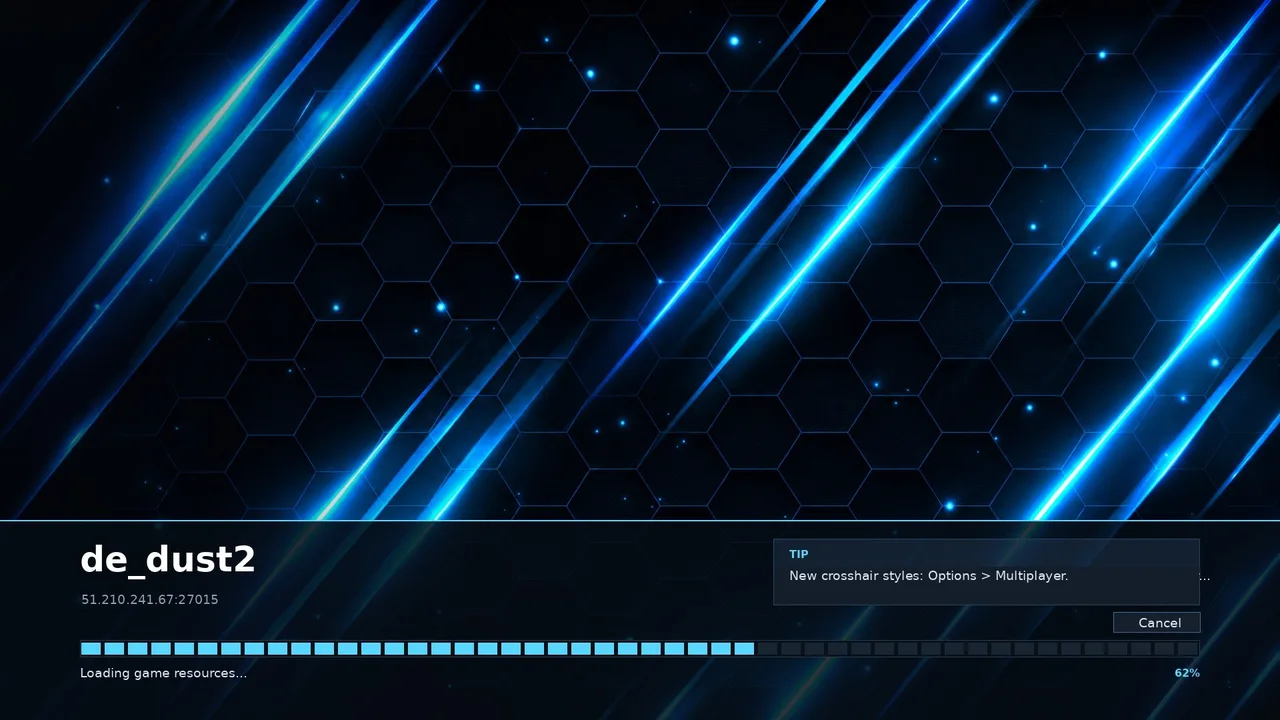
Loading screen
While the map loads you see its name, the server, how far along it is and a short tip. You can switch back to the original window in Options › Hell Client.